
Blood pressure diary · iPhone & Android
Your reading has two answers. Here are both.
The same numbers are called stage 1 hypertension by American guidelines and high-normal by European ones. Most pages show you one and leave you confused. Tonelva shows both, keeps the record, and prints something your doctor can read.
Unlimited history, free No account, no cloud Nothing leaves your phone
Enter a reading from your cuff
systolic / diastolic, in mmHg
First, the thing nobody says plainly
No phone can measure your blood pressure.
Not the camera. Not a fingertip pressed to the screen. Not an app that promises a systolic and a diastolic number from thirty seconds of holding still. Blood pressure is measured by occluding an artery and watching the pressure at which flow returns, and a phone cannot do that. Apps that claim otherwise are measuring something else, or nothing.
Only a validated cuff gives you a reading. What an app can do — and this is genuinely worth doing — is make the record afterwards fast enough that you actually keep it, and clear enough that it means something to the person you show it to.
Because the tenth entry is the hard one
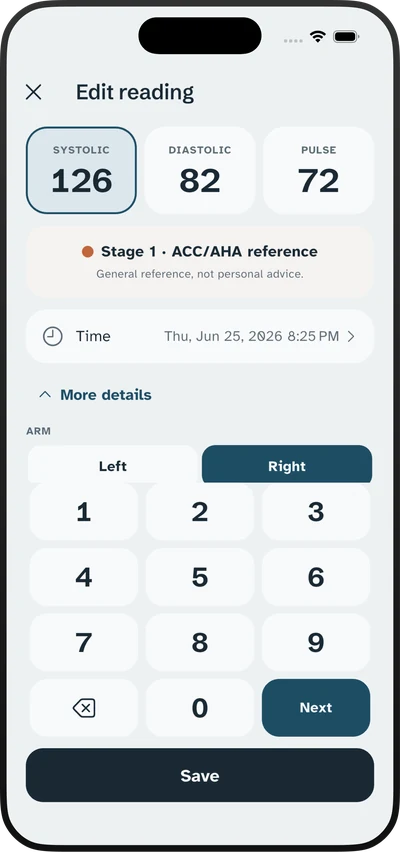
Anyone will log a reading on day one. The protocol asks for twenty-eight of them across a week, and adherence is where home monitoring actually fails. Systolic, diastolic, pulse, done — with big numerals you can read without your glasses on.
The disagreement, shown rather than hidden
Every reading is coloured against both the ACC/AHA and the ESC/ESH categories, and you can switch which one leads. Where they differ, the app says so instead of picking a side and leaving you to discover the other one on a different website.
Averaged apart, because they are different
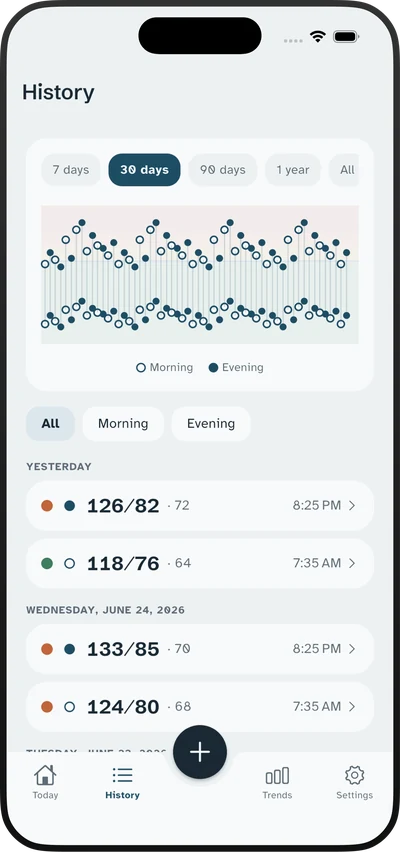
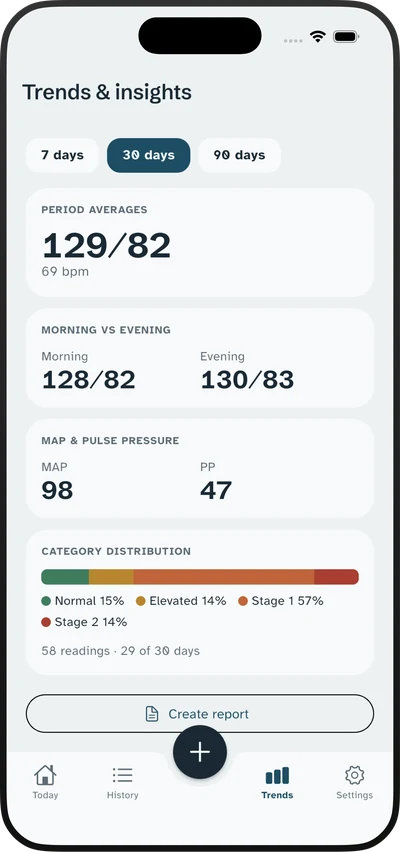
Blood pressure rises on waking. Merging morning and evening into one daily number destroys the pattern a clinician wants to see, so Tonelva keeps them separate in both the chart and the report.
In the app
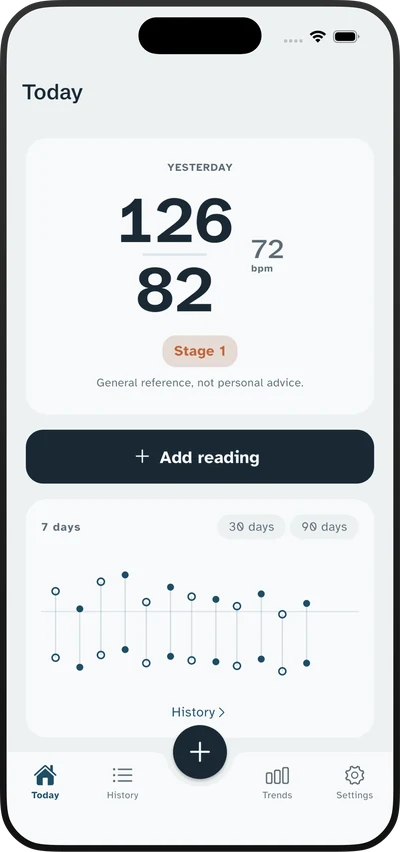
Large numbers, calm colours, no lectures.
The people using this app are mostly managing something long-term, often for years, and frequently anxious about the number in front of them. So the design does the opposite of alarming: generous type, honest colour coding, and a plain note that a single reading is a measurement rather than a verdict.
The part your cuff's manual left out
A week of readings outranks a clinic measurement.
Home readings taken properly carry more weight than a single office reading, and most people have never been told the method. It is not complicated, and every step exists for a reason.
Consecutive, not whenever
Readings taken only when you feel unwell are a biased sample and can mislead the person reading them. A consecutive week is a fair one.
Morning and evening, two each
Two readings a minute apart, both recorded. The second is usually lower, and discarding it because you prefer the number defeats the exercise.
The step almost everyone misses
First-day readings run high — new routine, new device, mild apprehension. The guidelines drop them before averaging, and so does our average calculator.
Five minutes, back supported
Feet flat, arm at heart height, no talking. The rest period is not politeness; skipping it is one of the larger sources of error in a home reading.
Size matters more than brand
A cuff that is too small reads high, and it is the single most common measurement error. Measure your upper arm and check it against the range printed on the cuff.
Then use the higher one
Measure both at the start, then stay with the arm that reads higher. A large persistent difference between arms is itself worth mentioning to your doctor.
Write down both, not the better one
Take two measurements a minute apart and record them both. The second is usually the lower of the pair, and keeping only that one because it looks better turns a week of honest work into a flattering number nobody can act on.
Before medication, not after
Readings taken at wildly different times are hard to compare with each other. Pick a morning slot and an evening slot and keep them, and note whether you take them before or after your medication, because that changes what the number means to the person reading it.
Free, in your browser
Five tools, no sign-up, nothing stored.
The same reference tables the app uses, on the open web. Everything you type stays in your browser.
Category checker
Enter a reading and see it classified under the American and the European scales at the same time.
Open the tool →7-day average
The average the guidelines actually ask for, with day one discarded — the step almost everyone misses.
Open the tool →Printable log
A large-type sheet with the measurement conditions built into the header, ready to print.
Open the tool →Mean arterial pressure
The formula, the arithmetic, and an honest account of what a home MAP figure is good for.
Open the tool →Pulse pressure
The subtraction your monitor never shows you, and what a widening gap actually indicates.
Open the tool →Pricing
Logging is free. The report is what you pay for.
Free
- Unlimited readings, kept forever
- Both the ACC/AHA and ESC/ESH scales
- Morning and evening trends
- Two measurement reminders
Pro
- PDF report built for an appointment
- Medication reminders
- Longer trend windows and full statistics
- CSV export and Apple Health sync
Cancel any time. The trial costs nothing.
Questions
Plain answers.
Can Tonelva measure my blood pressure?
No, and neither can any other app. A phone camera cannot measure blood pressure, a fingertip on the screen cannot, and any app claiming otherwise is measuring something else or nothing at all. Only a validated cuff can take a reading. Tonelva is the diary you keep afterwards.
The app can read my pulse with the camera — is that not the same thing?
No, and the difference is the whole point. A fingertip held over the rear camera and its light lets the phone see the small colour change each heartbeat produces, which gives a heart rate and, on the two-minute measurement, how much the time between beats varies. That is a count of beats, not a pressure. Blood pressure needs a cuff that squeezes an artery, and nothing in Tonelva produces a systolic or diastolic number you did not enter yourself.
Is Tonelva free?
Yes, for the part that matters. Logging readings and keeping unlimited history is free forever, with both reference scales and the colour coding included. Pro adds the PDF report for your doctor, medication reminders, longer trend views and CSV export — $4.99 a week or $39.99 a year with a 7-day free trial.
Why does it show two different categories for one reading?
Because two major guidelines disagree. The 2017 ACC/AHA guideline used in the United States sets the hypertension threshold at 130/80; the ESC/ESH guideline used across much of Europe keeps it at 140/90 and adds a high-normal band in between. The same reading gets different labels, both defensible, and showing only one leaves you unable to reconcile two reputable sources.
Does my data leave the phone?
No. There is no account, no login, no cloud sync and no server. Readings are stored on your device, the PDF is generated on the device, and it only leaves through your own share sheet if you choose to send it. The App Store privacy label reads Data Not Collected because that is genuinely true.
How many readings should I take?
The protocol most guidelines describe is seven consecutive days, morning and evening, two readings a minute apart each time, with the first day discarded before averaging. Checking more often than that makes the data noisier and reliably raises anxiety, which raises readings. Tonelva is built around finishing that week rather than around checking constantly.
Does it work with my Bluetooth cuff?
No. Tonelva has no Bluetooth pairing, so readings are typed in — three taps for systolic, diastolic and pulse. If automatic sync from a cuff is essential to you, an app from your cuff manufacturer will serve you better, and we say so on the comparison pages rather than pretending it is not a real difference.
Can I give the record to my doctor?
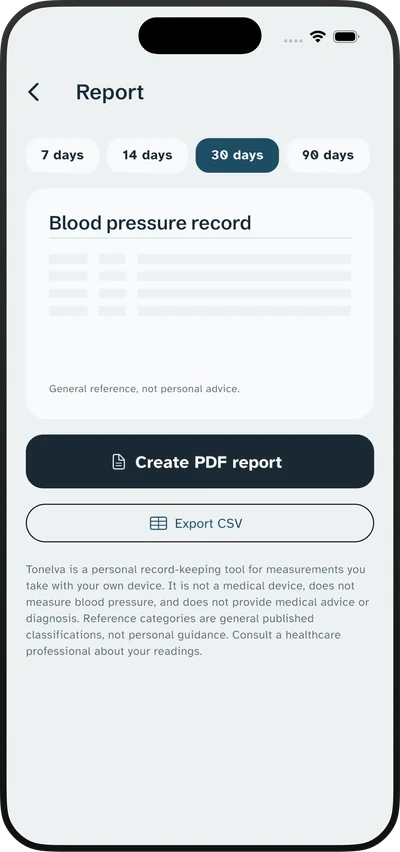
That is what the PDF report is for. It puts the averages and the morning and evening split on the first page with the detail underneath, because a clinician has minutes and needs the summary before the rows. You can also export CSV if you would rather keep your own copy.
Does it sync with Apple Health?
Yes, both directions, with your permission. Readings you enter can be written to Health, along with the heart rate and variability from a camera pulse measurement, and readings recorded elsewhere can be imported with duplicates filtered out. It all stays on the device — Apple Health data is never sent to us, and HealthKit rules prohibit using it for advertising.
Vitals
Written for the person holding the cuff.
What the numbers mean, why two guidelines disagree, and what actually makes a reading unreliable. Read the whole section.
What a blood pressure app can and cannot do
A blood pressure app cannot measure you. Learn how to choose one that records cuff readings, protects privacy, and creates a useful history.
Jul 30, 2026ESC/ESH blood pressure guidelines: why US and European thresholds differ
Compare ACC/AHA and ESC/ESH blood pressure thresholds, understand home readings, and see why the same number can receive different labels.
Jul 30, 2026What throws off a blood pressure reading: 14 causes
Find out what throws off a blood pressure reading, including cuff fit, posture, caffeine, stress, and device problems, with steps for cleaner home readings.
Take the record to your next appointment.
Free on iPhone and Android. No account, no cloud, and nothing leaves your phone unless you send it.